Free Chrome extension
Inspect the finding. Verify the fix.
Start with the page you want to improve. Connect each finding to evidence, a proposed change and a repeatable check. The previews show how a report is organised; a score does not guarantee rankings or commercial results.
Version 1.0.0 is published in the Chrome Web Store. We are reviewing its unsupported impact estimates before recommending installation. Explore our tested example below.
Reviewable findings · Manual journey checks · Documented retests
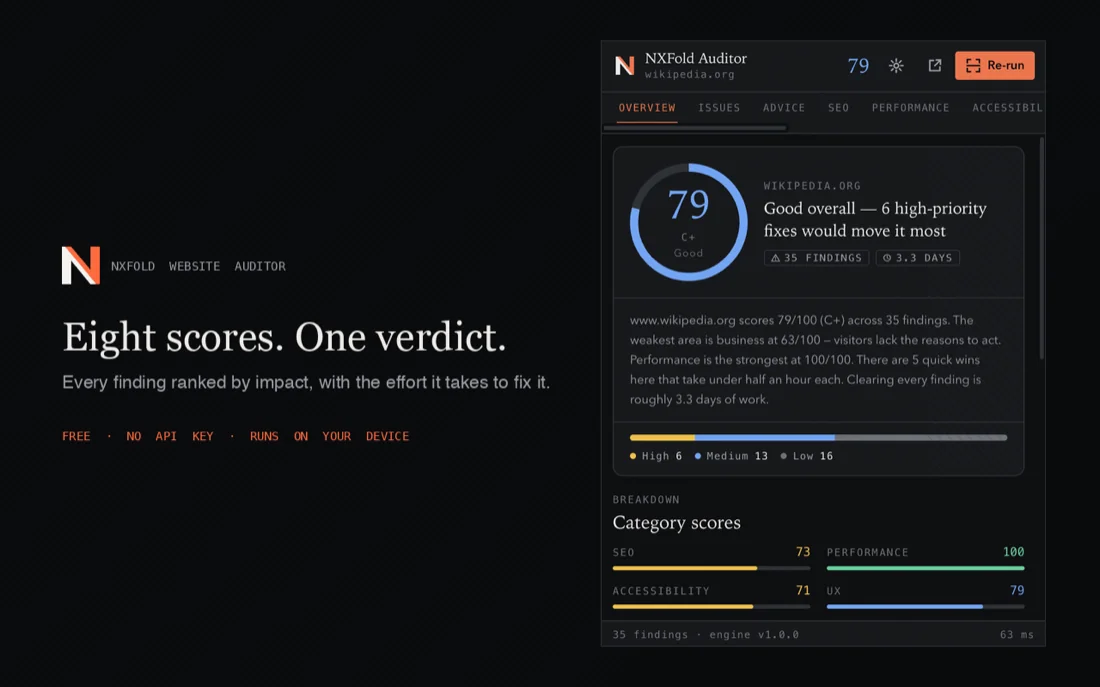
Preview of check categories and finding priorities. A score is a review signal, not a quality certificate.
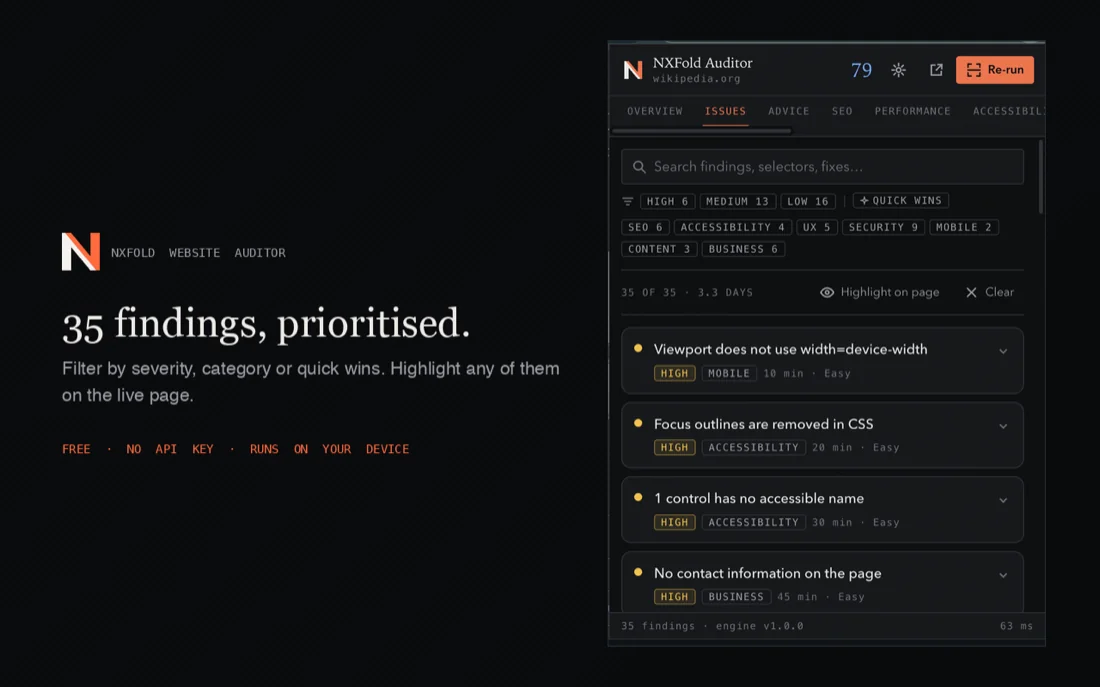
Connect a finding to the page element, evidence and proposed fix, then verify it after the change.
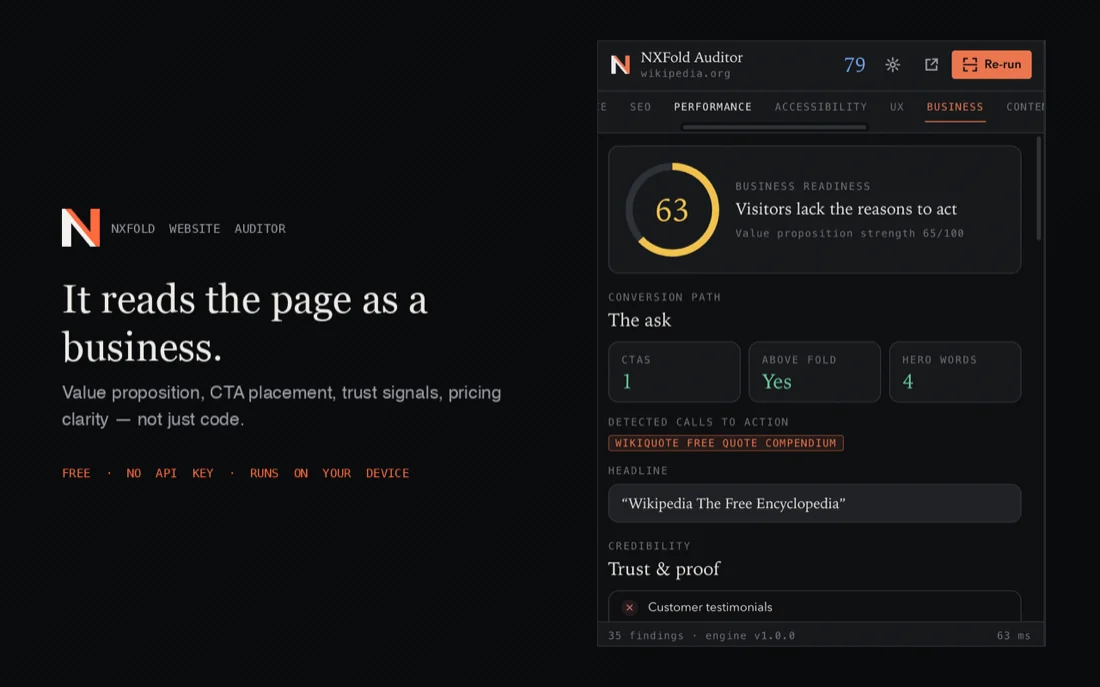
Interface preview of business heuristics. Verify suggested actions manually; impact percentages shown by the tool are not measured outcomes.
(01) A controlled worked example
Three changes. Three findings checked again.
We tested the Chrome Web Store package on an owned local demonstration page on 19 October 2026. We changed only its page title, meta description and image alternative text. This is a repeatable technical example, not a client result.
The actual extension action ran in a fresh Chrome profile on macOS at 1440 × 1000. External traffic was blocked; the local connection was unthrottled. Optional cookie and host permissions were not granted.
- Page title
- Before: the title was “Home” and the generic-title check flagged it.
- After: “Design brief demonstration | NxFold” no longer triggered that check.
- Meta description
- Before: the page had no meta description.
- After: a description of the demonstration was added and the missing-description finding cleared.
- Image alternative
- Before: the sample image had no alt attribute.
- After: an alternative describing the sample was added and the missing-alt finding cleared.
A second run after the changes returned the same finding IDs. Other findings remained; resolving these three checks does not establish that the whole page passes an audit.
What this example does not establish
- LCP and CLS were unavailable in these runs. No field Core Web Vitals, rankings, leads or revenue were measured.
- The extension missed the demo’s “Review the brief” action and reported no call to action. Heuristic findings need manual review.
- Version 1.0.0 contains unverified impact forecasts. They are not measured results and are excluded from this example.
- The observed extension requests were a same-origin header probe and robots.txt fetch. This bounded test is not a guarantee for every page, permission or future version.
Tested package: 1.0.0 · Chrome 155.0.8059.80. The public Store installation flow was not tested.
(✦) — The problem
Turn an automated finding into a checked change
A report can point to a page element worth reviewing. Confirm the observation, decide whether the proposed change fits the task, then repeat the check. Automation can miss context or report a false positive.
A score is not a decision
A score alone cannot prioritise a title fix against a contrast issue. Compare the task affected, available evidence and effort, then retest.
Findings without fixes
A missing-description finding identifies an absent field. Write a description that represents the page, check the rendered markup and rerun the test; the tool does not measure the resulting search clicks.
Business checks need human context
The controlled demo included an action link that the extension did not recognise. Read the actual page and test the task before accepting a business finding.
Results that move on you
Network, device, dynamic content and tool versions can change results. Record and control these conditions for a useful comparison.
(02) — What it checks
Eight dimensions, on the live rendered page
A useful review combines HTML evidence, behaviour after JavaScript and manual checks of important tasks. Available data depends on the tool, version and permissions.
SEO
Title, meta description, canonical, robots, hreflang, JSON-LD, Open Graph, Twitter cards, the heading outline, internal linking and robots.txt.
Performance
Available navigation timings and resource observations, including FCP and TTFB. LCP and CLS can be unavailable, as they were in our demo; these checks do not provide field Core Web Vitals.
Accessibility
Colour contrast computed with the actual WCAG maths, alt text, accessible names, form labels, landmarks, focus handling, ARIA validity, duplicate ids and tap targets.
UX
Typographic scale, font sprawl, button consistency, spacing rhythm, line length, visual hierarchy, whitespace and form length.
Security
HTTPS, mixed content, available response headers and link attributes. Cookie analysis depends on optional permission and was unavailable in our controlled test. These checks do not certify security.
Mobile
Viewport, pinch-zoom, horizontal overflow, tap-target size, base font size, autocomplete and media behaviour.
Content
Word count, Flesch reading ease, grade level, sentence and paragraph length, keyword density and boilerplate ratio.
Business
Value proposition strength, CTA placement, trust signals, testimonials, pricing clarity, contact channels, FAQ and social proof.
(03) Every finding
What comes attached to each issue it finds
- A plain description of what is wrong, and on which element
- Why it matters — the mechanism, not a rule number
- The concrete fix, written out and ready to apply
- An effort estimate and a difficulty rating
- Rule-based priorities and impact suggestions that need independent evidence; forecasts are not measured results
- Click a finding to scroll to the element and outline it
- The CSS selector, copied to your clipboard
- A ready-to-paste prompt for whichever coding agent you use
- Export to PDF, Markdown, JSON or clipboard
- Local history, so any two runs of a page can be compared
(✦) — (04) Reading the results
From finding to a clear check
Keep the URL, date, device, tool version and evidence. Separate what the tool observed from what needs manual verification before deciding.
A finding needs context
Review the affected page and element, then identify the task it blocks or makes difficult.
One navigation is not your audience
A browser test does not represent field experience across users. Check the measurement source and window.
Repeat the conditions
Use the same page, device, network and settings where possible; record differences between runs.
Verify the fix
Rerun the check, test the task manually and keep evidence from before and after the change.
(05) Privacy & permissions
What we observed in version 1.0.0
We inspected the current Store package and ran it on an owned local demo in a fresh browser profile. The observations below describe that version and test setup. Review permissions again for other pages or releases, especially before auditing private content.
Observed in the controlled test
- The toolbar action read the rendered demo page and captured its visible screenshot.
- Reports, page text and screenshots were stored in the temporary profile’s local extension storage. No existing user data was used.
- Each audit made a HEAD request to the audited page and a GET request for its robots.txt.
- No external extension-worker request was observed; the test proxy blocked external traffic.
- The findings in this test came from the local rule engine; no external AI service was called.
Current package permissions
- activeTab + scripting
- Required: the toolbar action grants access to collect the active page. The test used that action, not persistent access to every site.
- storage
- Required: the tested report and history were saved in local extension storage, including a page snapshot and screenshot.
- cookies + optional host access
- Optional in this package. Neither was granted during the test, and cookie analysis reported unavailable. Review any additional permission before granting it.
(06) Questions
Before you install
Is it really free?
The Store lists version 1.0.0 without a purchase price. We tested that package, but are reviewing its unsupported impact estimates before recommending installation.
Does it send my pages anywhere?
In our controlled version 1.0.0 test, the extension worker requested only headers and robots.txt from the demo’s own origin. Reports and screenshots were stored locally. No external worker request was observed, with external traffic blocked. This does not establish every page or permission configuration.
What does it ask permission for?
Version 1.0.0 requires storage, scripting and activeTab; cookies and site access are optional. We tested without the optional grants. The package’s manifest and the specific installation prompt should guide your decision.
How is it different from Lighthouse?
Use reports as complementary evidence. Performance and accessibility checks require their measurement conditions to be understood, and customer journeys need manual review. One score does not establish website quality.
Which pages can it not audit?
The checked package rejects Chrome internal pages and the Chrome Web Store. We did not validate every restricted viewer or browser configuration; the worked example used a normal local HTTP page.
Can you just fix the issues for us?
Yes — that is the day job. Run the audit, then send us the report. We will tell you what is worth fixing, what it costs and what to expect. Most of what the extension finds is a fixed-scope piece of work.
Related
Record the browser, device and network before testing, then repeat the same conditions after a fix. Field performance comes from actual users; one navigation timing or automated score does not establish a Google ranking. Also check the journey manually: keyboard access, forms, both languages and error states. Leave untested items unverified.
Check performance and both language journeys
(✦) — Found something you would rather not fix yourself?
Turn findings into a repair plan
Share the report, pages and affected tasks. We review the evidence and define the repair scope, acceptance checks and cost before work begins.
(✦) — Contact
Have an idea? Let's make it real.
Tell us about your project and we'll get back to you within 24 hours.
Senior designers and engineers are your project team, from brief to launch. You'll always talk to the people actually building it.
Your project brief
A clear next step for your project.
- Free quote within 24 hours
- No commitment, no pressure
- Fixed timeline & price upfront
Talk to us directly